
MERN Stack vs Next.js: Which Technology Should You Choose in 2026?
Compare MERN and Next.js architectures, rendering, APIs, deployment, and maintenance to choose an approach that fits your business.
Choosing a web technology is really a decision about how your business will deliver, operate, and improve a digital product. The right starting point is the customer journey and the work your team needs to perform. A technology label alone cannot tell you whether a website will be fast, secure, maintainable, or useful.
MERN and Next.js are frequently presented as competing products, but that framing creates confusion. MERN describes a combination of technologies. Next.js is a React framework that can become part of that combination. This guide explains the practical differences so you can discuss an architecture with a developer without committing to unnecessary complexity.
What MERN actually means
MERN stands for MongoDB, Express, React, and Node.js. MongoDB stores application data. Express provides routing and middleware for an HTTP API. React builds the interface. Node.js runs JavaScript on the server. These technologies can work together, but the acronym does not define authentication, hosting, testing, accessibility, or deployment practices.
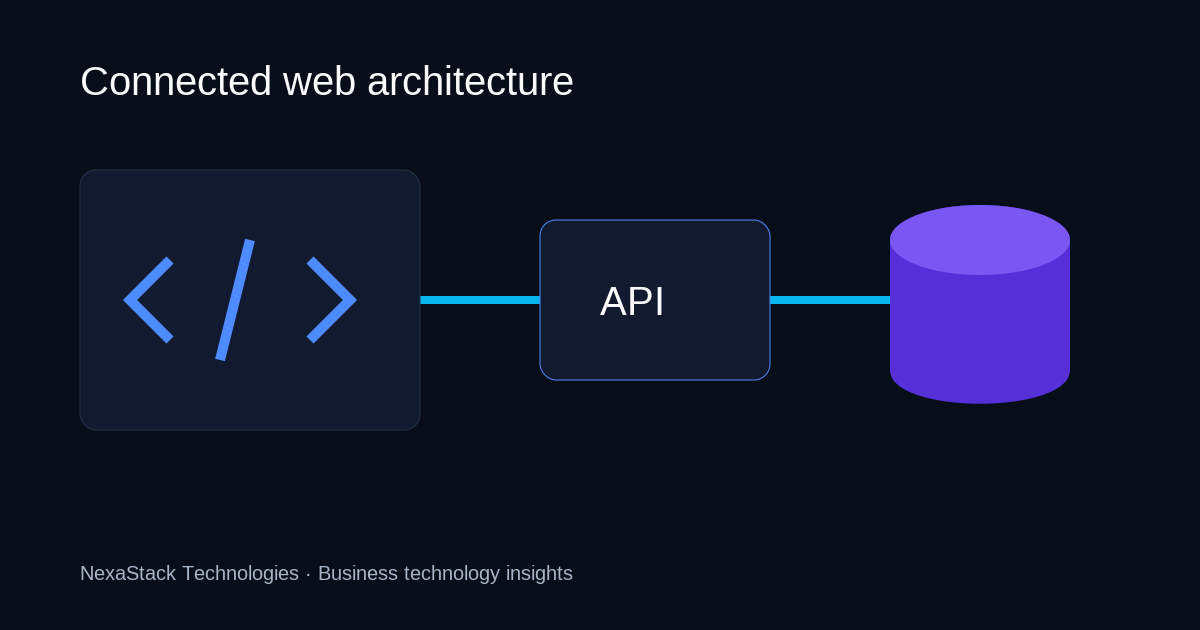
A common implementation has a React application in the browser communicating with an Express API. The API checks permissions, applies business rules, and reads or writes MongoDB. The frontend and backend may have separate deployments and release schedules. This separation can be useful when a mobile application or partner integration also consumes the same API.
It is not mandatory for every MERN frontend to be a client-rendered single-page application. React supports different rendering approaches, and a framework can coordinate them. Treat any proposal that equates MERN exclusively with one rendering strategy as an oversimplification.
What Next.js adds to React
Next.js provides application conventions around React, including routing and server-side capabilities. Depending on the application and deployment, pages can be prepared ahead of requests, rendered on the server, or combine server-rendered content with browser interactions. The choice should follow how frequently content changes and who is allowed to see it.
Server Components can keep data-fetching work on the server and avoid sending their component code to the browser. Client Components handle interactions such as event handlers and local state. A Client Component is not automatically browser-only rendering: Next.js can also prepare an initial HTML view for it.
These features reduce some assembly work, but they introduce concepts the development team must understand. Caching, invalidation, server boundaries, and deployment behavior require deliberate design. A framework does not remove the need to understand HTTP, databases, or security.
Architecture options in practice
Separate React frontend and Express API
This arrangement offers a clear boundary between interface code and backend services. A warehouse dashboard, for example, may share its order API with a handheld scanning application. The API remains available independently of the dashboard framework.
The tradeoff is operational coordination. Authentication cookies, cross-origin requests, shared validation, API versions, and deployment order must be managed. Two deployments can be appropriate, but they should serve a real requirement.
Next.js with application endpoints
A smaller business application can use Next.js for both its public pages and server endpoints. This can simplify the initial deployment and allow the team to keep related code close together. Server endpoints still need authorization, input validation, rate limiting where relevant, and careful error handling.
Long-running jobs and specialized services may belong outside request handlers. Report generation, asynchronous notifications, or intensive processing should be designed around the limits of the actual hosting environment.
Next.js with Express and MongoDB
A Next.js frontend can call an Express API running on Node.js, while that API stores data in MongoDB. This is a valid combination, not a contradiction. It may suit a product with public search-visible pages and an existing backend used by multiple clients.
Do not add a separate API solely to satisfy an architectural fashion. Equally, do not move a stable shared API into the frontend framework without considering its other consumers and operational requirements.
A practical comparison
| Decision area | Common React and Express arrangement | Next.js arrangement |
|---|---|---|
| Public page delivery | Requires a chosen rendering strategy | Provides integrated rendering options |
| Backend boundary | Usually an independent Express API | Built-in endpoints or independent services |
| Database | MongoDB is typical in MERN | MongoDB or another suitable database |
| Interactive dashboards | React handles rich interactions | React handles rich interactions |
| Search-visible content | Needs deliberate HTML and metadata delivery | Server rendering and metadata conventions help |
| Deployment | Frontend and API often deploy separately | Can be one application or several services |
| Main maintenance concern | API contracts and cross-service coordination | Rendering boundaries, caching, and runtime behavior |
The table compares common arrangements rather than absolute capabilities. A well-built application in either arrangement can outperform a poorly designed one in the other.
Rendering, SEO, and discoverability
Public service descriptions, product information, and articles should be easy for users and crawlers to retrieve. Delivering meaningful HTML and unique metadata is useful, but it does not guarantee rankings. Content quality, crawlability, internal navigation, and a usable mobile experience still matter.
An internal finance dashboard has different priorities. Its authenticated screens should not be indexed, and the user may value quick filtering more than search discovery. Choose rendering per route rather than applying a single rule to the entire product.
Test the actual response a visitor receives. A visually complete browser page can hide delayed content, broken canonical URLs, or scripts that fail on slower devices. Search readiness needs verification beyond a framework checkbox.
APIs, databases, and business rules
MongoDB can work with either approach. Its suitability depends on data relationships, query patterns, consistency requirements, and the team's operational experience. Neither React nor Next.js requires a particular database.
Keep database credentials on the server. Validate requests, enforce permissions on every protected operation, and create indexes based on real queries. An attractive interface cannot protect a write endpoint that trusts a role supplied by the browser.
For example, a quotation portal should distinguish the customer submitting a request from staff reviewing it. That rule belongs in server-side application logic regardless of whether the endpoint uses Express or a Next.js route handler.
Performance is a system property
Measure the customer journey rather than comparing framework names. Image size, JavaScript volume, database query time, network distance, caching, and third-party scripts all affect the experience. A server-rendered page can still be slow if its database queries are inefficient.
Use representative devices and realistic data. Check the first visit, navigation, searches, form submissions, and error recovery. A dashboard tested with ten records may behave differently when it contains several years of orders.
Agree on performance goals early, then measure after implementation. Avoid promises that one architecture is universally faster. The work required to achieve a goal depends on the application and the hosting environment.
Development costs and ongoing maintenance
Initial cost includes discovery, interface design, implementation, content preparation, testing, and deployment. Recurring cost includes hosting, monitoring, backups, dependency updates, support, and improvements. A smaller codebase is helpful only if it remains understandable and serves the business.
A team familiar with Express may deliver a dependable API efficiently. A team experienced with Next.js may benefit from its conventions. Choosing an unfamiliar stack to follow a trend can increase debugging and handover costs.
Ask for a maintenance plan alongside the development quote. Clarify who owns the repository, how environments are configured, how failures are detected, and how another developer could take over. These details often matter more than the acronym.
Deployment questions to settle before building
Confirm which runtime features the host supports and how database connections behave there. Plan environment variables, HTTPS, application logs, backups, and a recovery procedure. A static frontend deployment and a server-rendered application do not have identical hosting needs.
If the web application and API use different origins, verify cookie behavior and cross-origin permissions in the intended production topology. Local development success does not prove that authentication will work across deployed domains.
Also decide how background work runs and how schema or content changes are released. A deployment should be repeatable, with a way to detect failure and recover without guessing.
Which approach fits your business?
For a public business website with a small interactive area, Next.js can provide a cohesive starting point. For a dashboard consuming a mature shared API, retaining React and Express may be sensible. For a product combining public content, customer accounts, and several client applications, Next.js plus an independent API may fit.
Write down the three most important journeys, expected integrations, operational constraints, and available maintenance skills. Ask the developer to explain how the proposed architecture meets those requirements. Request tradeoffs rather than a declaration that one stack always wins.
Frequently asked questions
Can Next.js replace every backend service?
It can handle many application endpoints, but specialized processing, shared services, and long-running work may need separate infrastructure. Evaluate the workload and deployment limits.
Does MERN mean poor SEO?
No. SEO depends on the implementation and content. Rendering and metadata need attention, but the acronym does not determine search performance.
Should an existing working application be rewritten?
Not automatically. Identify a measurable problem first. Incremental improvements can offer better value than a rewrite that consumes the budget without changing the customer experience.
Conclusion and next step
Choose the simplest architecture that satisfies your actual requirements and can be maintained by the people responsible for it. MERN and Next.js can complement each other, and neither substitutes for sound engineering.
NexaStack Technologies can help review your requirements and explain an implementation approach. Explore our application development services or request a project quotation. For the broader buying decision, read our custom versus ready-made software guide.
Technical references
See the official Next.js Server and Client Components guide and rendering overview. Verify deployment-specific behavior against the version selected for your project.